Lethal Trifecta
All AI agents must live in the Lethal Trifecta as coined
by Simon Willison.
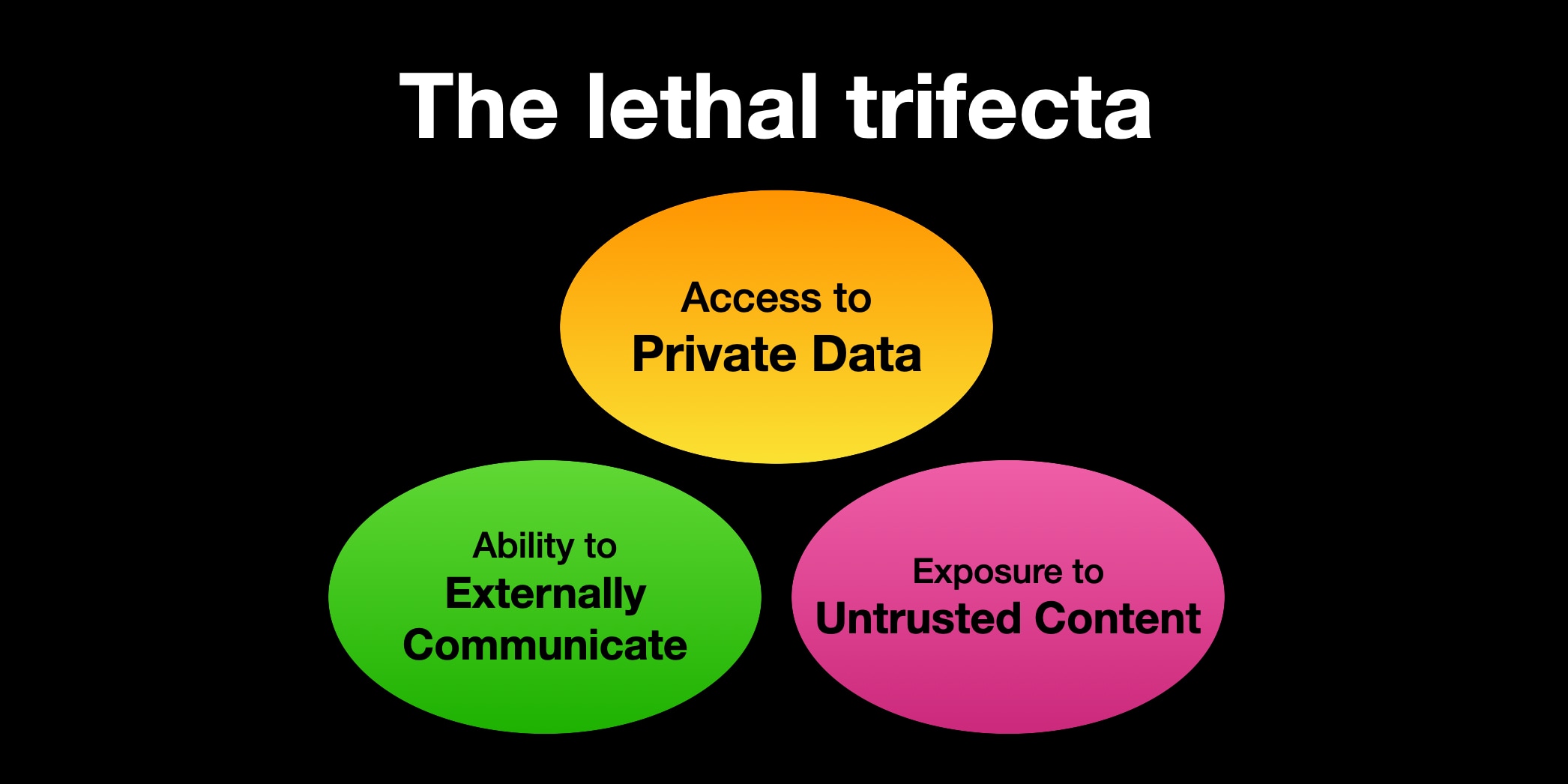
For programming assistants, who need to be online to install modules and to run tests
this basically means they cannot have access to private information. So my solution is to run them
in a podman container where they have read/write access to a directory where I also check out
the code the agent should work on.
This is somewhat in contrast to the current meme of letting an
OpenClaw assistant run with your credentials, your
email address and input from the outside world.
Setup
My setup choses to remove all access to private data, since for programming
an agent does not need access to any data that should not be publically known.
- Claude Code within its own Docker container
- Runs as
root there
- Mount
/home/corion/claude-in-docker/.claude as /root/.claude
- Mount working directory as
/claude
- (maybe) mount other needed directories as read-only, but I haven't felt the need for that
Dockerfile
FROM docker.io/library/debian:trixie-slim
# debian-trixie-slim
RUN <<EOF
apt update

# Install our packages
DEBIAN_FRONTEND=noninteractive TZ=Etc/UTC apt-get install -y npm perl build-essential imagemagick git apache2 wireguard wget curl cpanminus liblocal-lib-perl ripgrep

# Install claude
curl -fsSL https://claude.ai/install.sh | bash

# Set up our directories to be mountable from the outside
mkdir -p /work
mkdir -p /root/.claude

# Now you need to /login with claude :-/

# claude plugins install superpowers@superpowers-marketplace

EOF

# Add claude to the search path
ENV PATH="/usr/local/sbin:/usr/local/bin:/usr/sbin:/usr/bin:/sbin:/bin:/root/.local/bin"
ENTRYPOINT ["bash"]
CMD ["-i"]
Script to launch CC
Of course, the first thing an AI agent is used for is to write a script
that launches the AI agent in a container. This script is
very much still under development as I find more and more use cases that
the script does not cover.
Development notes
While developing the script, I found that Claude Code very much needs
example sections to work from. On its own, it comes up with code that is not
really suitable. This mildly reinforces to me that the average Perl code
used for training is not really good.
Last Monday I did the Perl Developer Release of Perl 5.43.7. As usual, I worked from the Release Managers Guide . Everything worked well, even if everything was cutting it a bit close. My video setup on the desktop was not suited for streaming anymore, so I had to do a stream consisting only of the console window and me talking over it, and no floating head of me available.
What worked well
The Twitch chat was the most active that I witnessed when streaming a Perl release. We chatted about organizing Perl conferences and also the Perl release process. One realization for me was that the RMG process is mostly there to exercise the Perl build machinery and testing that the generated tarball does not have deficiencies. This means that testing that Perl can build through Configure is important, but testing different Perl configurations like ithreads or userelocatableinc is not that important.
The dashboard for tracking my progress through the release worked well up to the release. I had modified it in the weeks leading up to the release to not only show the human step description but also to show the command line steps that should be undertaken, where applicable. I see this as a first step in automating these steps where possible and sensible.
What didn't work out
The dashboard can use some improvements:
The script did not cope well with the events after the release when the repo version number was bumped from 5.43.7 to 5.43.8. This part needs to be investigated but is easy to replicate by simply launching the dashboard with a version number before the current version number.
The script could highlight the current position in the sequence better. For console output this would likely mean inverting the line where the next applicable step is, but this means moving the output from Text::Table to a custom table generation or post-patching the string from Text::Table with the appropriate console commands.
The script should generate HTML and terminal output at the same time. Having output visible in a browser feels less retro but makes things like publishing the progress elsewhere easier.
The script should have a feature to simply output the next step. This could be integrated into the shell prompt to give a guided message in the console window. Maybe the console output and the HTML output should be done as files when in "interactive" mode?
Improvements to the Perl Release Process
More parallelism - the current release manager guide uses make test in many places. This runs the test suite in serial mode, which takes on my machine about 10 minutes. Running the test suite in parallel takes about 4-5 minutes. This is implemented using the make test_harness command. Whether Perl should move the default of parallel testing to make testfrom make test_harness is debatable. Most likely everybody who cares about speed already runs the test suite in parallel.
Remove sequences of shell commands - comparing the file names between the previous and current Perl version is done using a sequence of shell commands involving sort, diff`. I have a patch that adds a small tool to do that within Perl (mostly powered by Algorithm::Diff ).
From time to time, I look back and take tally of what programs and modules
I released in the past. This is one of these posts.
This module is a clone of the Mixmark turndown library,
which converts HTML into Markdown.
my $markdown = html2markdown('<h1>Hello World</h1>');
# Hello World
The module is highly convenient for my
note-taking tool, which lets
me edit notes as contentEditable HTML to enable formatting and pasting
of images etc. .
Other times, I want to do quick text editing, and using Markdown is far more
convenient than editing HTML on my mobile phone. As I store the documents not
as HTML but Markdown, converting from HTML/contentEditable to Markdown is
helpful here.
The nice thing about this module is that I chose to reuse the test suite of
the turndown Javascript library and styled the code similarly to the
Javascript example. That made porting some changes in the Javascript library
to Perl very easy, even if I don't strive for 1:1 identity.
Date::Find - extract dates from filenames
Together with the app move-year, this is a nifty tool to watch my download
directory and move bank statement .pdf files into the corresponding
directories organized by year. Often these files are named in weird ways
like statement-03.01.2025.pdf or accountstatement-2025-january.pdf, but I
want them in a directory bankstatements/2025/ . Date::Find looks at the
filenames and finds the year (and month, and day). The app then creates the
appropriate year (or month, or day) directory and moves the file there.
As my note-taking tool fetches link previews, I want to be a bit more cautious
as to what URLs I freely fetch. This adapts
Net::DNS::Paranoid and the
ruleset to also work for Mojolicious.
What I did not release
That link preview/card generation thing - postponed
Mojolicious::Plugin::UrlWithout
A small HTML page helper that returns an URL without a given key/value combination:
    my $url = "/filter?label=foo&label=bar";
    my $other = url_without( "/filter", label => 'foo' );
   # /filter?label=bar
This module sounded like a really good idea, so I wrote it. The use case was a
search/filter page, where you can toggle different labels by clicking on them.
The labels were realized as <a href=... elements. Then I realized I don't
need it at all, if I switch my HTML to a form with GET and use HTMX to
automatically update the filter:
<form method="GET" action="/filter" hx-get="/filter" hx-trigger="change from:input changed">
<label for="label-foo">foo</label><input type="checkbox" checked name="label" value="foo" />
<label for="label-bar">bar</label><input type="checkbox" checked name="label" value="bar" />
<button type="submit" class="nojs">Apply</button>
</form>
Patches I contributed
I contributed a small change to the
DBD::SQLite catalog functions so it
now also knows about generated columns in a table. Funnily, the old SQLite
function was named table_info, and the function including the generated
columns is named table_xinfo . I guess once there is another type of
information to return, they will need to add table_yinfo, or move to the
Microsoft-stlyle of having table_info_ex(), with another parameter listing
the information actually wanted by the caller.
Patches that were not applied (yet)
Together with Mojo::UserAgent::Paranoid, I also
added IPv6 support to Net::DNS::Paranoid,
but my changes have not yet been reviewed or accepted.
I use that patched module locally, and there it works well.
My development workflow looks something like this
- Implement feature 1
- Implement another feature 2
- Bug fixes for something in feature 2
- Bug fixes for feature 1
- More bug fixes for something in feature 2
This results in a git history like the above, which I then interactively rebase into
add Implement feature 1
squash Bug fixes for feature 1
add Implement another feature 2
squash Bug fixes for something in feature 2
squash More bug fixes for something in feature 2
The git absorb command automates part of the rebase by looking at the currently staged hunks and finding the commit that most recently changed lines in that hunk, and squashing that hunk in that commit:
git add app.pl -p # add the parts for feature 1 and feature 2 that don't overlap
git absorb
I'm doing more stuff with HTMX.
HTMX allows for almost-convenient polling by adding hx-trigger="every 1s" to
an attribute. This allows you to kick off some processing on your server after
having served a page and automagically update the page with the status and
a download link when processing completes.
<div class="preview-card" id="preview-div"
    hx-trigger="every 1s"
    hx-get="/preview"
    hx-swap="outerHTML"
>
Please stand by while we prepare your content
</div>
The polling only works if the element has a hx-get or hx-post attribute. It
does not work on <form> elements with action="..." , surprisingly.
The workaround is to add an explicit hx-get or hx-post="..." attribute
to the element:
<form method="POST" action="/submit"
    hx-trigger="every 1s"
    hx-post="/preview"
    hx-swap="none"
>
<input name="message" type="text" />
...
</form>